Insurance Agency Management Systems: Complete Buyer Guide
Most insurance agents manage policies in spreadsheets. Track commissions in notebooks. Remember renewals in their heads. The result? Missed renewals. Lost commissions. Overwhelmed agents.
Top agents use agency management systems. They track every policy. Automate renewals. Calculate commissions automatically. Manage carriers in one place. The result? 20+ hours saved weekly. Zero missed renewals. Complete visibility.
This guide shows you how to choose and implement an agency management system that actually works. If you're not ready for a full management system yet, start with the best free CRM for insurance agents and upgrade when you outgrow it.
What Is an Insurance Agency Management System?
An insurance agency management system is software that centralizes policy management, commission tracking, carrier relationships, client communications, and agency operations in one platform. It stores all policy information (coverage, premiums, renewal dates), tracks commissions by policy and agent, manages carrier relationships and submissions, automates renewal reminders and follow-ups, generates reports on revenue, policies, and agent performance, and integrates with CRMs, accounting software, and carrier portals. The goal is replacing spreadsheets, notebooks, and manual processes with one system that handles everything.
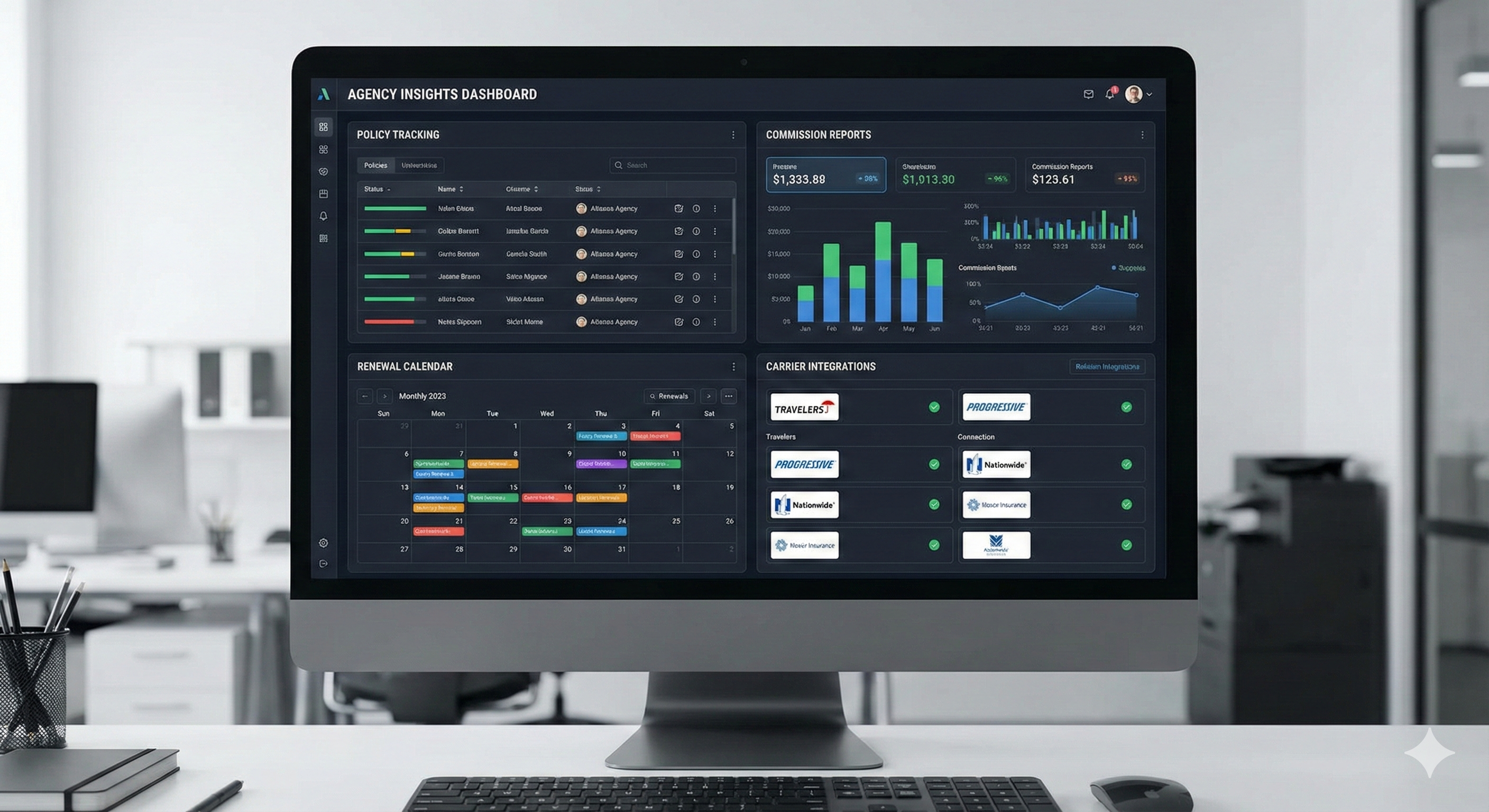
One system. Everything organized.
Key Features of Agency Management Systems
1. Policy Management
What It Does:
- Stores policy details (coverage, premiums, dates)
- Tracks policy status (active, lapsed, cancelled)
- Links policies to clients
- Manages policy documents
- Tracks policy changes
Why It Matters:
- No more lost policies
- Instant access to policy info
- Easy to answer client questions
- Track policy history
2. Commission Tracking
What It Does:
- Calculates commissions automatically
- Tracks commissions by policy
- Reports by agent, carrier, time period
- Identifies unpaid commissions
- Integrates with accounting
Why It Matters:
- Know exactly what you're owed
- No manual calculations
- Accurate financial reporting
- Faster commission collection
3. Carrier Management
What It Does:
- Stores carrier information
- Tracks carrier relationships
- Manages carrier submissions
- Integrates with carrier portals
- Tracks carrier performance
Why It Matters:
- Centralized carrier data
- Faster submissions
- Better carrier relationships
- Track which carriers perform best
4. Renewal Management
What It Does:
- Tracks renewal dates automatically
- Sends renewal reminders
- Automates renewal follow-up
- Tracks renewal rates
- Identifies at-risk renewals
Why It Matters:
- Never miss a renewal
- Higher retention rates
- Automated workflows
- Predictable revenue
5. Client Management
What It Does:
- Stores client information
- Tracks client interactions
- Manages client documents
- Tracks client history
- Segments clients
Why It Matters:
- Complete client view
- Better service
- Cross-sell opportunities
- Client retention
6. Reporting & Analytics
What It Does:
- Revenue reports
- Policy reports
- Agent performance
- Carrier performance
- Custom reports
Why It Matters:
- Data-driven decisions
- Identify opportunities
- Track growth
- Measure success
Top Agency Management Systems
1. Applied Epic (Best for Large Agencies)
Price: $200-400/user/month
Features:
- Full agency management
- Policy and commission tracking
- Carrier integrations
- Accounting integration
- Advanced reporting
- Mobile app
Best For: Large agencies (10+ agents) with complex needs.
Limitations:
- Expensive
- Steep learning curve
- Overkill for small agencies
The Math: At $300/user/month for 10 users = $3,000/month. Worth it if you're managing 1,000+ policies and need advanced features.
2. AgencyBloc (Best for Life & Health Agents)
Price: $99-199/month
Features:
- Life and health focused
- Policy tracking
- Commission tracking
- Carrier management
- Client management
- Reporting
Best For: Life and health insurance agencies.
Limitations:
- Life/health focused (less flexible)
- Limited P&C features
The Math: $99/month = $1,188/year. If it saves 5 hours weekly at $50/hour, ROI is 2x in the first year.
3. Vertafore AMS360 (Best for P&C Agencies)
Price: $150-300/user/month
Features:
- P&C focused
- Policy management
- Commission tracking
- Carrier integrations
- Rating integration
- Mobile app
Best For: Property and casualty agencies.
Limitations:
- P&C focused (less flexible for life/health)
- Higher price point
The Math: Similar to Applied Epic. Worth it for P&C agencies managing 500+ policies.
4. EZ Lynx (Best for Small Agencies)
Price: $50-150/month
Features:
- Affordable option
- Policy management
- Basic commission tracking
- Carrier integrations
- Simple interface
Best For: Small agencies (1-5 agents) on a budget.
Limitations:
- Fewer advanced features
- Less customization
The Math: $50/month = $600/year. Great entry-level option.
5. Hawksoft (Best for Independent Agencies)
Price: $100-200/user/month
Features:
- Independent agency focused
- Policy management
- Commission tracking
- Carrier integrations
- Client portal
Best For: Independent agencies wanting flexibility.
Limitations:
- Mid-range pricing
- Learning curve
Feature Comparison Table
| Feature | Applied Epic | AgencyBloc | AMS360 | EZ Lynx | Hawksoft |
|---|---|---|---|---|---|
| Policy Management | Yes | Yes | Yes | Yes | Yes |
| Commission Tracking | Yes | Yes | Yes | Basic | Yes |
| Carrier Integrations | Extensive | Good | Extensive | Basic | Good |
| Renewal Automation | Yes | Yes | Yes | Basic | Yes |
| Reporting | Advanced | Good | Advanced | Basic | Good |
| Mobile App | Yes | Yes | Yes | Limited | Yes |
| Price/User/Month | $200-400 | $99-199 | $150-300 | $50-150 | $100-200 |
Implementation Checklist
Week 1: Setup
- Choose system based on needs
- Sign up for trial or demo
- Configure user accounts
- Set up carrier integrations
- Import existing policies
Week 2: Data Migration
- Export data from current system
- Clean and format data
- Import policies
- Import clients
- Verify data accuracy
Week 3: Training
- Train team on system
- Create workflows
- Set up automation
- Test processes
- Document procedures
Week 4: Go Live
- Switch to new system
- Monitor for issues
- Gather feedback
- Make adjustments
- Optimize workflows
Integration Options
CRMs:
- HubSpot, Salesforce, Pipedrive
- Sync client data
- Track new business
Accounting Software:
- QuickBooks, Xero
- Sync commissions
- Financial reporting
Carrier Portals:
- Major carriers (State Farm, Allstate, etc.)
- Policy data
- Submissions (for comparative rating, see our insurance quoting software guide)
Email Marketing:
- Mailchimp, ActiveCampaign
- Client communications
- Renewal campaigns
The Rule: Check integration capabilities before buying. If your tools don't connect, you'll have manual work.
Common Implementation Mistakes
Mistake 1: Not Migrating Data Properly Take time to clean and format data before importing. Bad data in = bad data out.
Mistake 2: Not Training Team If your team doesn't use the system, it's useless. Train them properly.
Mistake 3: Over-Customizing Start with default settings. Customize only what you need. Over-customization creates complexity.
Mistake 4: Not Using Automation Management systems include automation. Use it. Don't do manually what the system can automate. For a deeper look at what to automate, see our full guide to lead management automation.
Mistake 5: Not Reviewing Reports Reports show opportunities. Review them regularly. Act on insights.
When You Need a Management System
You Need It When:
- You have 50+ policies
- You work with multiple carriers
- You need commission tracking
- You're missing renewals
- You spend 10+ hours weekly on admin
You Don't Need It When:
- You have <20 policies
- You work with 1-2 carriers
- You track everything in spreadsheets (and it works)
- You're just starting out
The Rule: If admin work is taking time from selling, you need a management system.
ROI Calculation
Costs:
- System: $100-300/month
- Setup time: 20-40 hours
- Training: 10-20 hours
Savings:
- Time saved: 10-20 hours weekly
- Missed renewals prevented: 2-5% retention increase
- Commission accuracy: No lost commissions
The Math: If a system saves 15 hours weekly at $50/hour = $750/week = $39,000/year. System costs $2,400/year. ROI is 16x.
The Bottom Line
Insurance agency management systems organize policies, commissions, and clients in one platform. They save 20+ hours weekly and prevent missed renewals.
Choose based on your size, product focus, and budget. Start with a trial. Migrate data carefully. Train your team.
The goal isn't to have the most expensive system. It's to have a system that saves time and increases revenue. Once your back office is organized, make sure your front end is too -- see the lead generation tools for insurance agents that feed your management system with new business.
Want to see how top agencies set up their management systems? Check out our lead generation courses that include agency workflows.
Need leads to fill your management system? Buy pre-branded leads that are already qualified before they call.