Best Free CRM for Insurance Agents: Complete Comparison
Most insurance agents think they need a $200/month CRM to track leads and policies. They're wrong.
Free CRMs handle 90% of what insurance agents need. Contact management. Email tracking. Pipeline management. Follow-up automation. All free.
The catch? You need to know which free CRM fits your workflow. This guide shows you seven options, ranked by what insurance agents actually need.
What Makes a Good Free CRM for Insurance Agents?
A good free CRM for insurance agents stores unlimited contacts, tracks email interactions automatically, manages sales pipelines visually, automates follow-up sequences, and integrates with your other tools. Insurance-specific features like policy tracking are nice but not required—you can use custom fields to track policies, coverage types, and renewal dates in any CRM.
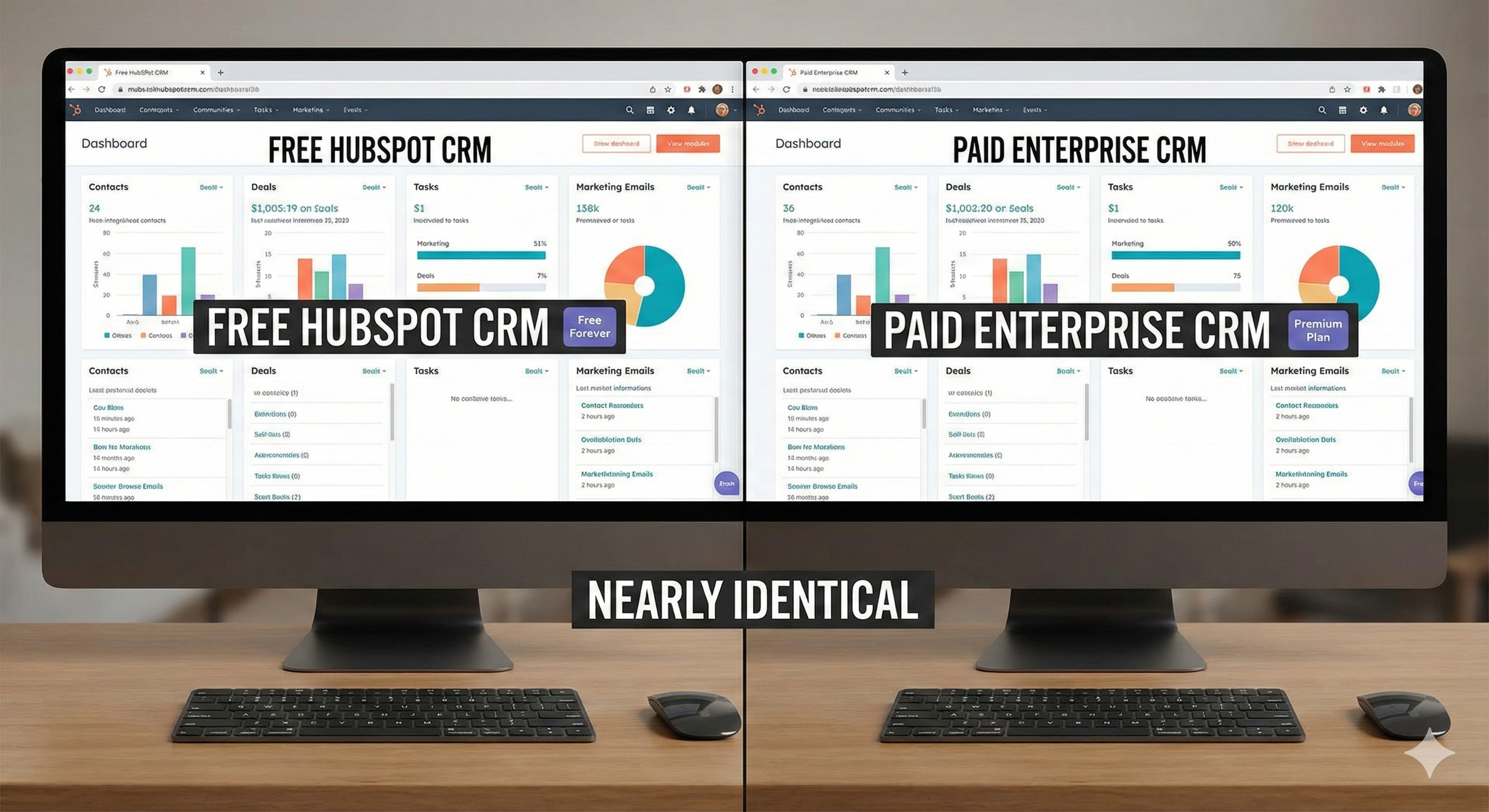
Free doesn't mean limited. It means smart.
The 7 Best Free CRMs for Insurance Agents
1. HubSpot CRM (Best Overall)
What You Get Free:
- Unlimited contacts
- Unlimited users
- Email tracking and scheduling
- Pipeline management
- Email templates
- Document storage (5GB)
- Basic reporting
- Mobile app
Insurance-Specific Features:
- Custom fields for policy numbers, coverage types, renewal dates
- Deal pipeline stages (Lead → Qualified → Quoted → Closed)
- Email sequences (automated follow-up)
- Contact activity timeline
Limitations:
- HubSpot branding on emails (can remove with paid plan)
- Limited marketing automation (1,000 contacts max in sequences)
- No phone dialer (paid feature)
Best For: Solo agents or small teams who want the most features free.
Upgrade Cost: $20/month for Sales Starter (removes branding, adds phone dialer)
The Math: HubSpot's free tier handles 100% of contact management needs for agents generating under 50 leads monthly.
2. Bitrix24 (Best for Teams)
What You Get Free:
- 12 users included
- 5GB storage (roughly 10,000-15,000 contacts)
- CRM and pipeline management
- Built-in telephony (calls through the platform)
- Task and project management
- Email integration
- Mobile app
Insurance-Specific Features:
- Custom fields for policies
- Call recording (free tier)
- Lead scoring
- Workflow automation
Limitations:
- 5GB storage limit
- Limited integrations (paid plans unlock more)
- Interface can feel cluttered
Best For: Small agencies (2-12 people) who need team collaboration.
Upgrade Cost: $39/month for Standard (unlimited storage, more integrations)
The Math: Bitrix24's free tier supports teams up to 12 people. Most small agencies never need to upgrade.
3. Zoho CRM (Best for Customization)
What You Get Free:
- 3 users
- 5,000 records
- Pipeline management
- Email integration
- Basic automation
- Mobile app
Insurance-Specific Features:
- Highly customizable fields
- Workflow automation
- Email templates
- Document management
Limitations:
- 5,000 record limit
- Only 3 users
- Limited email sending (100 emails/day)
Best For: Agents who need heavy customization and don't mind the learning curve.
Upgrade Cost: $14/user/month for Standard (unlimited records, more features)
The Math: 5,000 records = roughly 3,000 contacts + 2,000 deals/activities. Enough for most solo agents.
4. Flowlu (Best Insurance-Specific Free Option)
What You Get Free:
- 1 user
- 1,000 contacts
- Pipeline management
- Task management
- Email integration
- Basic reporting
Insurance-Specific Features:
- Built-in templates for insurance workflows
- Policy tracking fields
- Commission tracking (paid feature, but structure exists)
- Renewal reminders
Limitations:
- Only 1,000 contacts
- Single user only
- Limited automation
Best For: Solo agents who want insurance-specific features without paying.
Upgrade Cost: $29/month for Professional (unlimited contacts, 5 users)
The Math: 1,000 contacts is enough for agents closing 20-30 deals annually. Upgrade when you hit the limit.
5. Freshsales (Best for Sales-Focused Agents)
What You Get Free:
- Unlimited users
- Unlimited contacts
- Pipeline management
- Email tracking
- Built-in phone dialer (limited minutes)
- Mobile app
Insurance-Specific Features:
- Deal pipeline
- Email sequences
- Activity tracking
- Lead scoring
Limitations:
- 100 free phone minutes/month
- Limited email sending
- Basic reporting only
Best For: Agents who make lots of calls and want a built-in dialer.
Upgrade Cost: $15/user/month for Growth (unlimited phone minutes, advanced features)
The Math: 100 phone minutes = roughly 20-30 calls monthly. Enough for follow-up, not enough for cold calling.
6. Pipedrive (Free Trial, Then Paid)
What You Get Free:
- 14-day free trial (full features)
- After trial: $14/month minimum
Why It's Here: Pipedrive doesn't have a true free tier, but the 14-day trial is long enough to test if it fits your workflow. Many agents find the visual pipeline worth $14/month.
Insurance-Specific Features:
- Visual pipeline (see deals at a glance)
- Activity-based selling (tracks what you need to do)
- Email integration
- Automation
Best For: Agents who want the simplest possible CRM interface.
The Math: $14/month = $168/year. If it saves you 4 hours monthly, it pays for itself.
7. Monday.com (Project Management + CRM)
What You Get Free:
- 2 users
- Unlimited docs
- 3 boards (pipelines)
- Basic automation
- Mobile app
Insurance-Specific Features:
- Custom fields for policies
- Pipeline views
- Task management
- Team collaboration
Limitations:
- Only 2 users
- 3 boards limit (you'll need more for multiple pipelines)
- Not CRM-focused (it's project management first)
Best For: Agents who want CRM + project management in one tool.
Upgrade Cost: $8/user/month for Standard (unlimited boards, more automation)
Feature Comparison Table
| Feature | HubSpot | Bitrix24 | Zoho | Flowlu | Freshsales |
|---|---|---|---|---|---|
| Free Contacts | Unlimited | ~10-15K | 5,000 | 1,000 | Unlimited |
| Free Users | Unlimited | 12 | 3 | 1 | Unlimited |
| Email Tracking | Yes | Yes | Yes | Yes | Yes |
| Pipeline Management | Yes | Yes | Yes | Yes | Yes |
| Automation | Basic | Yes | Basic | Basic | Basic |
| Mobile App | Yes | Yes | Yes | Yes | Yes |
| Phone Integration | No | Yes | No | No | Yes (limited) |
| Custom Fields | Yes | Yes | Yes | Yes | Yes |
How to Track Insurance Policies in Free CRMs
Most free CRMs don't have built-in policy tracking. Here's how to add it:
Step 1: Create Custom Fields
- Policy Number (text field)
- Coverage Type (dropdown: Life, Health, Auto, Home)
- Premium Amount (number field)
- Renewal Date (date field)
- Carrier Name (text field)
- Policy Status (dropdown: Active, Lapsed, Cancelled)
Step 2: Create a Deal Pipeline
- Stage 1: Lead
- Stage 2: Quoted
- Stage 3: Application Submitted
- Stage 4: Underwriting
- Stage 5: Policy Issued
- Stage 6: Active Policy
Step 3: Link Policies to Contacts
- Each contact can have multiple deals (policies)
- Use tags to group by product type
- Set renewal date reminders
The Rule: If you need true policy management (commission tracking, carrier integrations), you'll need a full insurance agency management system. For most agents, custom fields in a free CRM are enough.
Integration Options for Free CRMs
Free CRMs integrate with other tools through:
Native Integrations:
- HubSpot: 1,000+ integrations
- Zoho: 500+ integrations
- Bitrix24: 100+ integrations
Zapier/Make:
- Connect any CRM to any tool
- Free tier: 100 tasks/month (Zapier) or 1,000 operations/month (Make)
- Paid: $20-50/month for more
Common Integrations Insurance Agents Need:
- Email marketing (Mailchimp, ActiveCampaign)
- Landing pages (Leadpages, Unbounce)
- Prospecting and lead generation tools for insurance agents (Apollo.io, LinkedIn)
- Calendar (Google Calendar, Calendly)
- Document storage (Google Drive, Dropbox)
When to Upgrade from Free to Paid
Upgrade when:
- You hit contact limits (Zoho 5K, Flowlu 1K)
- You need more users (Zoho 3, Flowlu 1)
- You want to remove branding (HubSpot emails)
- You need advanced automation
- You want phone dialer (HubSpot, Freshsales)
Don't upgrade when:
- You're not using current features fully
- You think paid = better (it doesn't always)
- A competitor uses paid (they might be wasting money)
The Math: If a free CRM handles 90% of your needs, the paid version might only add 5% more value. Calculate ROI before upgrading.
Setup Checklist: Getting Started with Free CRM
Week 1: Foundation
- Sign up for chosen CRM
- Import existing contacts (CSV)
- Create custom fields for policies
- Set up pipeline stages
- Connect email account
Week 2: Automation
- Create email templates
- Set up follow-up sequences (see our guide to building an automated lead follow-up system)
- Configure email tracking
- Test automation workflows
Week 3: Integration
- Connect landing page forms
- Set up Zapier/Make automations
- Connect calendar
- Test lead capture flow
Week 4: Optimization
- Review and clean data
- Set up reporting dashboards
- Train team (if applicable)
- Document workflows
Common Mistakes with Free CRMs
Mistake 1: Not Using Custom Fields Free CRMs are powerful if you customize them. Don't use default fields only.
Mistake 2: Ignoring Automation Free CRMs include basic automation. Use it to save 5-10 hours weekly. For a deeper dive on what to automate, read our guide on lead management automation.
Mistake 3: Not Integrating Tools Manual data entry kills productivity. Connect your tools with Zapier.
Mistake 4: Upgrading Too Soon Most agents upgrade before they've maxed out free features. Wait until you hit limits.
Mistake 5: Not Training Team If your team doesn't use the CRM, it's useless. Train them properly.
The Bottom Line
Free CRMs handle 90% of what insurance agents need. HubSpot is the best overall option. Bitrix24 is best for teams. Flowlu is best for insurance-specific features.
Start free. Master the system. Upgrade only when you hit real limits, not perceived ones.
The goal isn't to have the most expensive CRM. It's to have a CRM that helps you close more deals.
Want to see how top agents set up their CRM workflows? Check out our lead generation courses that include CRM setup templates.
Need leads to fill your CRM? Buy pre-branded leads that are already qualified before they call.